

Picking the wrong accounting software is a costly mistake that many Birmingham business owners only recognise after the damage is done. Xero and Sage are the two dominant platforms in the UK market, yet they serve very different business profiles. Finance managers who assume all accounting tools are interchangeable risk compliance gaps, inefficient workflows, and painful migrations down the line. This guide cuts through the noise and gives you a clear, practical framework for choosing the right platform based on your actual business needs.
Table of Contents
- Understanding the accounting software landscape
- Key functionalities of Xero and Sage explained
- Comparing pricing, user feedback, and suitability
- Deciding factors: when to choose Xero, Sage, or consider alternatives
- Making Xero or Sage work: implementation best practices
- Expert support for your accounting transformation
- Frequently asked questions
Key Takeaways
| Point | Details |
|---|---|
| Fit for scale and type | Choose Xero for simplicity and integrations, or Sage for robust payroll and reporting if your firm is larger or more complex. |
| Cost and collaboration | Consider initial pricing, scaling costs, and which system your accountant prefers for smoother teamwork. |
| Implementation pitfalls | Plan migrations carefully to prevent VAT mismatches and errors, with all users trained and involved. |
| Compliance readiness | Both platforms support Making Tax Digital, essential for compliance with UK regulations. |
| Test before you decide | Always use a trial period to ensure the software fits your real-world business needs. |
Understanding the accounting software landscape
The shift from desktop ledgers to cloud-based platforms has fundamentally changed how SMEs manage their finances. Ten years ago, most Birmingham businesses ran their accounts on locally installed software, updated annually and accessible only from one machine. Today, real-time bank feeds, automated VAT submissions, and remote collaboration are standard expectations.
Software choice is not just a technical decision. It directly affects how quickly you can close your month-end, how accurately you file with HMRC, and how easily your accountant can support you. Poor software fit creates friction at every stage of your financial operations.
Birmingham businesses face a specific set of pressures: a dense SME market, a strong manufacturing and construction sector, and a growing professional services community. Each of these sectors has different accounting demands, from CIS returns to multi-currency invoicing. Staying on top of bookkeeping best practices is far easier when your software is built for your business type.
Here is what defines the two leading platforms:
- Xero is cloud-based accounting software designed for small businesses, freelancers, and SMEs, with an intuitive interface and over 1,000 third-party integrations
- Sage provides robust compliance and payroll features, making it popular in the UK for businesses with complex needs
- Both platforms support Making Tax Digital (MTD) and allow direct HMRC submission
- Cloud access means your finance team, accountant, and management can all work from the same live data
"The right accounting software does not just record transactions. It shapes how your entire finance function operates, from daily reconciliations to year-end audits."
Understanding this landscape is the first step. The next is examining exactly what each platform offers.
Key functionalities of Xero and Sage explained
Xero and Sage are not simply two versions of the same tool. They have been built with different users in mind, and their feature sets reflect that.
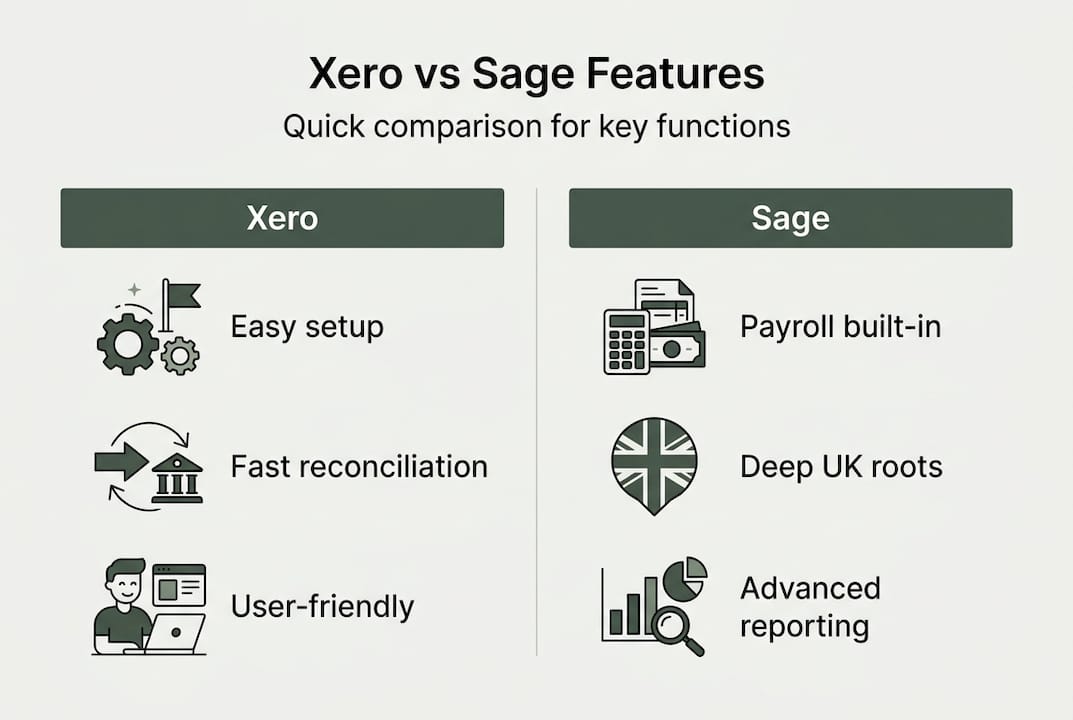
Xero is widely regarded as the more user-friendly platform. Its dashboard is clean, its bank reconciliation is fast, and its ecosystem of integrations is unmatched. If your business uses tools like Stripe, Shopify, Dext, or Hubspot, Xero connects to all of them without friction. For service-based businesses and growing SMEs, this flexibility is a significant advantage.

Sage, on the other hand, has deep roots in UK accounting. Its payroll module is more comprehensive out of the box, and its reporting capabilities are better suited to businesses with complex structures. Sage also has a longer track record with UK-specific compliance requirements, which matters when you are dealing with CIS, advanced VAT schemes, or multi-entity reporting.
Both platforms support invoicing, bank reconciliation, VAT filing, real-time reports, and multi-currency on higher plans. Xero offers unlimited users and integrations across its plans, while Sage excels on payroll and deeper enterprise reporting.
| Feature | Xero | Sage |
|---|---|---|
| Invoicing | Yes, all plans | Yes, all plans |
| Bank reconciliation | Automated | Automated |
| VAT filing (MTD) | Yes | Yes |
| Payroll | Add-on (Xero Payroll) | Built-in across plans |
| Third-party integrations | 1,000+ | 200+ |
| Unlimited users | Yes (most plans) | No (user limits apply) |
| CIS support | Limited | Strong |
| Advanced reporting | Standard | Advanced |
| Multi-currency | Premium plan | Higher plans |
When filling accounting roles in Birmingham, it is worth noting that candidates with Xero experience are increasingly common, particularly in professional services. However, Sage proficiency remains highly valued in manufacturing, construction, and larger SMEs.
Pro Tip: When assessing bookkeeping skills during recruitment, always ask candidates to demonstrate a bank reconciliation and VAT return in the platform you use. Software familiarity is not the same as software competence.
Comparing pricing, user feedback, and suitability
Value for money looks different depending on your headcount, transaction volume, and integration needs. Here is how the 2026 UK pricing stacks up.
| Plan | Xero (approx.) | Sage (approx.) |
|---|---|---|
| Entry level | £15 to £20/month | £12 to £18/month |
| Standard | £30/month | £30/month |
| Premium/Plus | £50/month | £39/month |
Sage is often cheaper at entry level, but Xero scales better for businesses needing multiple users and integrations. If you are running a lean team with straightforward needs, Sage's lower entry price is attractive. If you are growing and need your software to grow with you, Xero's pricing structure tends to deliver better long-term value.
User reviews tell an interesting story. Xero holds a 4.3 out of 5 on Trustpilot from over 6,000 reviews and a 4.7 on iOS. Sage scores 4.4 on Trustpilot from over 17,000 reviews, though its Android app sits at just 2.9. Critically, Xero is preferred by 85% of UK accountants, which has real implications for how smoothly your external accountant can support you.
Here is a quick suitability guide:
- Xero suits you if: you run a service-based business, have under 20 employees, rely on third-party apps, or your accountant already uses Xero
- Sage suits you if: you have a larger payroll, operate in construction or manufacturing, need CIS support, or have legacy Sage data you cannot easily migrate
- Both work well for: MTD compliance, VAT filing, real-time financial reporting, and remote team collaboration
When screening accounting qualifications for new hires, it is worth checking whether candidates have formal training or certifications in your chosen platform. Many AAT and ACCA-qualified professionals have platform-specific experience that can shorten your onboarding time considerably.
Deciding factors: when to choose Xero, Sage, or consider alternatives
Choosing between Xero and Sage is not just about features. It is about fit. Here is a structured approach to making the right call for your Birmingham business.
- Assess your business complexity. If you have straightforward invoicing and a small team, Xero's simplicity is an asset. If you manage multiple cost centres, complex payroll, or CIS deductions, Sage's depth is worth the learning curve.
- Evaluate your payroll requirements. Sage includes payroll across its plans. Xero requires an add-on. For businesses with 10 or more employees, this cost difference adds up.
- Map your integrations. List every tool your business uses. Check compatibility with both platforms before committing. Xero's 1,000+ integrations give it a clear edge for tech-forward businesses.
- Ask your accountant. This is not optional. If your accountant works primarily in Xero, switching to Sage creates unnecessary friction and potential errors.
- Run a trial. Both platforms offer 30-day free trials. Use them with real data, not demo figures.
Xero is best suited for businesses with simple structures, under £2 million in revenue, and under 20 employees. Sage excels for payroll-heavy operations, CIS, manufacturing, and legacy users.
"Switching platforms mid-year without proper planning is one of the most common and avoidable finance mistakes Birmingham SMEs make."
Pro Tip: Before committing to either platform, consult your bookkeeper recruitment guide to understand what software skills to prioritise when hiring. The right hire can make either platform work brilliantly.
Also consider your team's existing knowledge. Retraining staff on a new platform takes time and money. If your team is already proficient in Sage, the disruption of switching to Xero needs to be weighed against the benefits. Understanding accounting qualifications explained can help you gauge how quickly staff might adapt to a new system.
Making Xero or Sage work: implementation best practices
Choosing the right platform is only half the battle. A poor implementation can undermine even the best software. Here is how to get it right from day one.
- Plan your migration carefully. Migration from Sage to Xero risks VAT mismatches and trial balance errors if not properly planned. Always migrate at the start of a new financial year or VAT period where possible.
- Involve your accountant early. Do not set up the chart of accounts without their input. A misaligned chart of accounts causes reporting headaches for years.
- Run parallel systems briefly. For the first month, run both the old and new system simultaneously. This catches discrepancies before they become compliance issues.
- Train all users before go-live. Both Xero and Sage offer online training resources. Make sure every team member who touches the system has completed basic training.
- Set up MTD connections immediately. Do not leave HMRC bridging software in place longer than necessary. Connect your new platform to HMRC's MTD portal as part of the initial setup.
Pro Tip: Assign a single internal owner for the software implementation. Shared ownership leads to inconsistent setups and data entry errors. One person should be accountable for the chart of accounts, user permissions, and integration settings.
Understanding the role of bookkeepers in your business is critical here. A skilled bookkeeper who knows your chosen platform can dramatically reduce implementation time and ensure your data is clean from the outset. This is not a task to hand to a generalist administrator.
Ongoing upskilling matters too. Both Xero and Sage release updates regularly. Assign someone in your team to monitor platform updates and attend webinars. MTD requirements are evolving, and staying ahead of changes protects your compliance position.
Expert support for your accounting transformation
Getting the software right is one piece of the puzzle. Having the right people to operate it is what turns a good system into a genuinely efficient finance function.
At Ibaco Recruitment, we specialise in connecting Birmingham businesses with finance professionals who are proficient in Xero, Sage, and the full range of UK accounting tools. Whether you need a bookkeeper to manage your day-to-day reconciliations or a qualified accountant to oversee your MTD compliance, our finance recruitment in Birmingham service matches you with vetted candidates who are ready to contribute from day one. We work exclusively with accounting recruitment agencies and finance roles, so you benefit from deep specialist knowledge rather than a generalist approach. If you are ready to hire qualified accountants who already know your platform, get in touch today.
Frequently asked questions
Is Xero or Sage better for Making Tax Digital (MTD) compliance?
Both Xero and Sage are MTD-compliant and support direct VAT submission to HMRC, so either platform meets the current MTD requirements without needing bridging software.
Which accounting software is more popular with UK accountants?
Xero is preferred by 85% of UK accountants, largely due to its ease of collaboration and intuitive interface, which makes joint working between business owners and their accountants far smoother.
Can I run payroll with both Xero and Sage?
Yes, but Sage includes built-in payroll across its plans, including CIS support, whereas Xero requires a separate payroll add-on, which adds to the monthly cost for larger teams.
What are the main risks when migrating from Sage to Xero?
VAT mismatches and trial balance errors are the most common migration risks, both of which can be avoided by planning the switch at the start of a new financial year and involving your accountant throughout.
Should I consider software preferences of my accountant?
Absolutely. Since Xero is preferred by 85% of UK accountants, choosing a platform your accountant already uses reduces errors, speeds up year-end processes, and makes troubleshooting far more straightforward.