

Sorting through piles of receipts and manual spreadsheets is a familiar headache for many Birmingham finance managers. Managing financial data and preparing reports quickly is no longer optional with growing client demands and regulatory changes in the United Kingdom. QuickBooks delivers real-time automation, effortless HMRC compliance, and smart reporting features designed to help small and medium businesses simplify their accounting and shine in client relationships.
Table of Contents
- What QuickBooks Means for Accountants
- Comparing QuickBooks Plans and Versions
- Essential Features for UK Businesses
- Real-World Uses in Birmingham Firms
- QuickBooks Versus Other Leading Software
Key Takeaways
| Point | Details |
|---|---|
| Transformation of Role | QuickBooks shifts accountants from transaction processors to financial advisors, enabling them to focus on analysis and client strategy. |
| Time Efficiency | Automation reduces time spent on manual tasks, allowing accountants to recover roughly 300 hours a year per client, which can be redirected to value-added activities. |
| Client Relationship Enhancement | Clients gain real-time visibility into their finances, improving trust and communication while reducing the number of basic queries. |
| Plan Selection Importance | Choosing the appropriate QuickBooks plan based on client size, turnover, and needs is crucial to maximise value and efficiency, preventing costly manual backups. |
What QuickBooks Means for Accountants
QuickBooks transforms how accountants work. It shifts you from manual spreadsheets and paper records to automated, real-time financial systems. For accountants in Birmingham's thriving SME sector, this matters because your clients demand faster reporting, cleaner data, and compliance without the headaches.
Real-world impact starts with speed. QuickBooks cuts the time you spend on data entry, reconciliation, and basic bookkeeping tasks. This frees you to focus on what you were actually trained for: analysis, strategy, and advising clients on their finances.
Why QuickBooks Changes Your Role
Your job shifts from transaction processor to financial advisor. Here's what actually happens:
- You work smarter, not just harder - Automation handles repetitive tasks whilst you interpret results
- Client relationships improve - Faster turnaround on reports means happier clients
- Your expertise becomes visible - Clients see the strategic value you add beyond bookkeeping
- Compliance becomes straightforward - Built-in UK tax rules and VAT handling reduce audit risk
Digital accounting tools enhance learning and professional preparation by giving you systems that work like real practice. This matters if you're managing junior staff or training new bookkeepers. Everyone benefits from consistent, modern tools.
Time Savings Add Up Quickly
Consider a typical week for an accountant managing five small businesses. Manual reconciliation takes two days. QuickBooks cuts that to four hours. Over a year, that's roughly 300 hours recovered. Use those hours for client consultations, tax planning, or simply reducing your workload.

The financial role evolves here. You're not disappearing. You're becoming more valuable because you're not buried in administration.
Building Better Client Relationships
QuickBooks gives clients visibility into their finances in real time. They can check cash flow without waiting for your monthly report. This transparency builds trust and reduces back-and-forth emails asking "Where's my balance sheet?"
For accountants, this means:
- Fewer "quick" client calls about basic account balances
- Time to discuss growth strategies instead
- Better informed clients who understand their numbers
- Clearer conversations about tax planning and business decisions
When accountants stop managing transactions and start managing insights, client retention naturally improves.
Pro tip: Set up automated bank feeds and reconciliation rules first when implementing QuickBooks with a client. This eliminates the biggest time drain and shows immediate value within your first month.
Comparing QuickBooks Plans and Versions
QuickBooks offers multiple plans designed for different business sizes and complexity levels. Choosing the right one depends on your client's turnover, number of users, and feature requirements. Getting this wrong costs money; getting it right saves time and improves cash flow visibility.
The UK pricing structure spans from freelancers to growing businesses. Each tier unlocks new capabilities without forcing you to pay for features you don't need.
Understanding the Plan Structure
QuickBooks UK pricing ranges from Sole Trader at £10 monthly to Advanced at £115 monthly, with each plan scaling features alongside user limits. Here's what each tier actually offers your clients:
Sole Trader (£10/month) works for freelancers and one-person operations with basic invoicing and expense tracking. No users beyond the account holder.
Simple Start (£16/month) adds multiple invoice templates, basic reporting, and expense tracking for up to two users. Think: sole trader ready to scale slightly.
Essentials (£33–£38/month) introduces bill management, multi-currency support, and VAT filing automation. Supports up to three users. This is where most Birmingham SMEs start.
Plus (£47–£56/month) adds inventory tracking, project profitability reports, and time tracking for up to five users. Essential if your clients sell physical products.
Advanced (£115–£123/month) unlocks unlimited users, advanced automation, custom roles, and dedicated reporting tools. For larger operations managing multiple departments.
Here's how QuickBooks plan features compare for typical UK SME needs:
| Plan Name | Users Included | Key Features Added | Typical Business Size |
|---|---|---|---|
| Sole Trader | 1 | Basic invoicing, simple expenses tracked | Freelancer, micro business |
| Simple Start | 2 | Custom invoices, basic reports, expenses | Small sole traders |
| Essentials | 3 | Bill management, VAT automation, multi-currency | Growing SME, VAT-registered |
| Plus | 5 | Inventory, project reports, time tracking | Product-based SME, project firm |
| Advanced | Unlimited | Advanced automation, custom roles, dedicated reporting | Complex, multi-department SME |
Key Differences That Matter
Don't just look at price. Focus on what changes between plans:
- User limits – Adding users costs nothing per extra person in higher tiers but is restricted in lower plans
- Inventory features – Only Plus and Advanced handle stock tracking properly
- Multi-currency – Essential for clients trading internationally
- Automation depth – Advanced plans offer custom workflows and rule-based automation
- Reporting capability – Higher tiers provide project profitability and cash flow forecasting
- VAT support – All plans handle UK VAT, but automation improves in upper tiers
The right plan isn't the cheapest one; it's the one that stops your clients asking for manual workarounds within six months.
Accountant Access Considerations
QuickBooks Online Accountant gives you special access to client accounts regardless of which plan they subscribe to. You can create consolidated reports, manage multiple clients efficiently, and oversee their financial setup. This matters because your workflow doesn't depend on their chosen plan—you work across all of them seamlessly.
Payroll is an optional add-on across every plan, starting at approximately £10 monthly per employee. This keeps costs modular rather than bundled.
Pro tip: Start Birmingham SME clients on Essentials, not Simple Start. The extra £5–10 monthly unlocks bill management and VAT automation that saves them hours of manual work and justifies your service fees immediately.
Essential Features for UK Businesses
QuickBooks isn't a one-size-fits-all tool. The features that matter depend entirely on what your clients actually do. A product-based business needs inventory tracking. A service firm needs time logging. Both need HMRC compliance, but they get there differently.
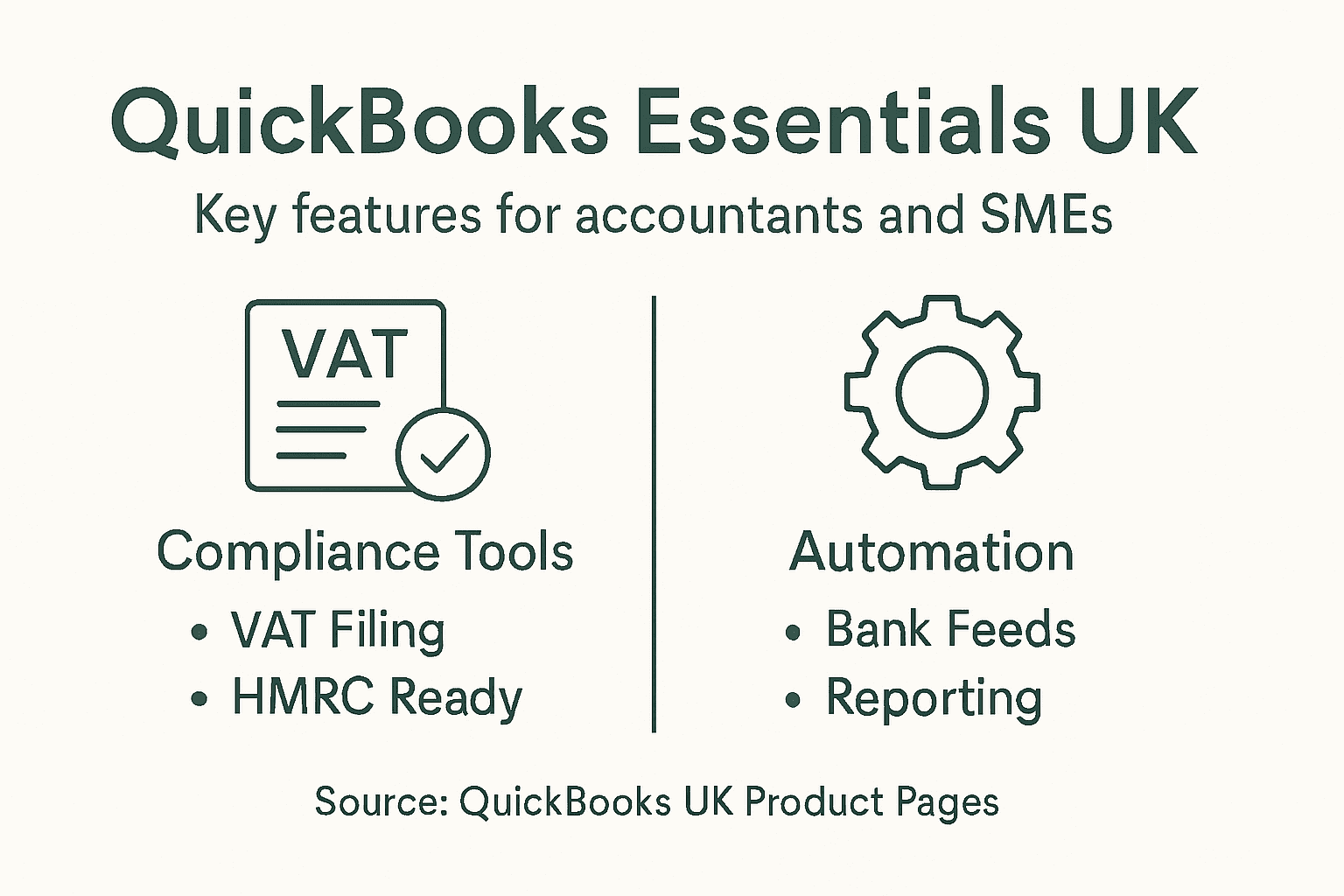
For UK SMEs, certain features aren't optional—they're regulatory requirements wrapped in software.
HMRC Compliance and Tax Filing
This is non-negotiable. Your clients must file returns digitally with HMRC under Making Tax Digital (MTD) rules. QuickBooks delivers HMRC-recognised Making Tax Digital compliance through automated VAT tracking and submission capabilities.
Here's what this means in practice:
- Automated VAT categorisation – Transactions get sorted correctly without manual coding
- Quarterly VAT returns – Built-in forms match exactly what HMRC expects
- Income Tax readiness – Records stay organised for self-assessment filing
- Real-time reporting – Your clients always know their tax position
Getting this wrong costs penalty fees with HMRC. Getting it right saves your clients from late submission fines and gives them confidence their records are correct.
Real-Time Bank Feeds and Automation
Manual bank reconciliation is disappearing. QuickBooks integrates seamlessly with bank feeds and third-party applications including Shopify and PayPal, automating transaction categorisation.
Your clients won't spend Friday afternoons comparing statements to spreadsheets anymore.
- Live bank connections – Transactions appear within minutes
- Auto-categorisation – QuickBooks learns their spending patterns
- Duplicate prevention – Never reconcile the same transaction twice
- Mobile receipt capture – Snap photos of invoices on site
Reporting That Actually Helps
Standard profit-and-loss statements are useful. Customisable reports are game-changing. Birmingham SME owners need reports showing what's actually happening: cash flow gaps, seasonal trends, client profitability.
QuickBooks gives accountants the ability to create bespoke dashboards. Your clients see what matters to their business, not generic accounting categories.
The best accounting software isn't the one with the most features—it's the one your clients actually use because it shows them what they need to know.
Integration and Scalability
Your clients already use other tools. QuickBooks connects with point-of-sale systems, e-commerce platforms, and payroll services. Adding a new client system shouldn't mean rebuilding their entire workflow.
This matters because scalability costs nothing until they actually grow. A sole trader using Simple Start can upgrade to Essentials, Plus, or Advanced without re-entering their historical data.
Pro tip: Set up custom reporting templates during client onboarding that show cash flow, aged debt, and profit margins—the metrics that actually drive business decisions and justify your advisory role.
Real-World Uses in Birmingham Firms
Theory is useful. Real application matters more. Birmingham accounting firms aren't waiting around—they're actively using QuickBooks to transform how they serve clients and manage their own operations. The gap between firms using spreadsheets and those using QuickBooks automation is widening fast.
This isn't just software. It's a shift in how accountants work.
Client Onboarding and Workflow Automation
Birmingham accounting professionals are leveraging QuickBooks Practice Management to improve client onboarding and automate workflows, eliminating manual data entry and repetitive tasks that consume accountant time.
Here's what's actually happening in local firms:
- Faster client setup – New clients go live in days, not weeks
- Standardised processes – Every client follows the same proven workflow
- Less chasing – Automation reminds clients to submit invoices and expenses
- Fewer errors – Templated entries reduce misclassifications
When a firm onboards five new clients monthly, even a 50% time saving per client compounds. That's meaningful capacity freed up.
Moving from Transactions to Advisory
QuickBooks Practice Management gives accountants AI-driven insights into client financial health. Instead of telling a client "your profit was £50,000," accountants can say "your profit dropped 15% because material costs rose. Here's where to cut or where to raise prices."
That shift from reporting to advising is where margins come from.
- Profit analysis by client or project – Identify which services actually make money
- Cash flow forecasting – Predict client problems before they happen
- Benchmarking insights – Compare clients against industry standards
- Actionable dashboards – Present findings clients can act on immediately
Reducing Administrative Burden
Birmingham practices often struggle with admin overhead. Accountants spend time on data entry, filing, and reconciliation instead of client-facing work. QuickBooks pushes that work into the system.
Automation doesn't replace accountants. It replaces what accountants spend time on.
- Bank feeds eliminate reconciliation – Real-time matching, not manual checking
- Expense scanning – Mobile photos become categorised entries automatically
- Invoice reminders – Clients chase themselves for payment
- Tax calculations – Built-in rules handle VAT and National Insurance
Firms that automate their own processes first become far better at implementing QuickBooks for clients because they understand what actually works.
Building Competitive Advantage
Local firms using QuickBooks effectively can deliver faster reporting, better insights, and lower fees because their delivery costs drop. That's a winning combination in Birmingham's competitive market.
Firms still manually processing are spending time on work that no longer creates value.
Pro tip: Start by automating your own firm's QuickBooks workflows before selling them to clients. You'll learn what features matter and which are noise, giving you credible authority when recommending implementations to Birmingham SMEs.
QuickBooks Versus Other Leading Software
QuickBooks isn't alone in the UK accounting software market. Xero and Sage both have loyal followings, and each brings different strengths. The choice matters because switching platforms later costs time and money. Get it right from the start.
For Birmingham accountants advising clients, understanding the real differences—not marketing claims—shapes better recommendations.
Feature Depth and Automation
QuickBooks stands out as feature-rich software offering AI-powered smart accounting and customisable invoicing with strong reporting capabilities. The breadth of automation options exceeds what Xero and Sage offer at comparable price points.
This matters for firms managing complex clients:
- AI-driven categorisation – QuickBooks learns transaction patterns automatically
- Advanced reporting – Custom dashboards beyond standard profit-and-loss statements
- Integration ecosystem – Broader third-party app connections than competitors
- Detailed financial insights – Multi-dimensional analysis capabilities
Xero excels at simplicity. Sage targets enterprise organisations. QuickBooks occupies the middle ground where most Birmingham SMEs operate.
Learning Curve and Implementation Time
QuickBooks has a steeper learning curve than Xero. That's not a weakness—it's the trade-off for deeper features. New users need proper training, but experienced accountants gain more capability.
Xero gets clients productive faster because the interface is more intuitive. But after six months, QuickBooks users have access to features Xero doesn't offer at that price point.
Implementation speed matters when your firm is onboarding new clients monthly. A simpler system means faster go-live but potentially higher support costs later.
Integration and Ecosystem
QuickBooks connects with more third-party applications than competitors. Shopify, PayPal, Stripe, point-of-sale systems, e-commerce platforms—QuickBooks integrates more smoothly.
For clients already using multiple tools, QuickBooks often requires fewer workarounds and manual processes.
- Payroll systems – Direct integration options
- E-commerce platforms – Automatic order-to-invoice workflows
- Banking connections – Real-time feeds from most UK banks
- CRM systems – Client data synchronisation
Cost Comparison for Firms
Price varies, but QuickBooks often works out cheaper per feature delivered. Sage becomes expensive quickly once you add users or move beyond basic operations. Xero offers competitive pricing but limits advanced reporting without premium add-ons.
For Birmingham firms serving 50+ clients, QuickBooks Online Accountant typically delivers better value than juggling multiple Xero or Sage accounts.
Here's a comparison of QuickBooks, Xero, and Sage for Birmingham accountants:
| Feature Area | QuickBooks Strength | Xero Strength | Sage Strength |
|---|---|---|---|
| Automation | Advanced workflows, AI rules | Simple, easy to set up | Good for larger operations |
| Reporting | Highly customisable | Standard reports | Enterprise-level options |
| Integrations | Wide range of connections | Solid e-commerce options | Deep ERP and payroll links |
| Suitable Clients | Growth-focused SMEs | Freelancers, micro firms | Large, specific industries |
The best software isn't necessarily the cheapest one—it's the one your clients will actually use because it fits their business without forcing workarounds.
When to Choose Alternatives
Xero wins if your clients value simplicity and mobile-first workflows. Sage wins for large enterprises with specific industry requirements. QuickBooks wins for growth-focused SMEs needing detailed financial control.
Your client's size and complexity should drive the choice, not habit or familiarity.
Pro tip: Test QuickBooks with a pilot client before recommending it broadly. The learning curve pays off if your clients stay with you long-term, but a wrong fit costs relationship damage quickly.
Find Qualified Finance Professionals Ready to Maximise Your QuickBooks Investment
The article highlights how QuickBooks transforms accounting roles by automating routine tasks and enabling deeper client advisory services. However, the challenge remains to have skilled bookkeepers and accountants who not only understand UK tax compliance and Making Tax Digital but also can leverage QuickBooks’ advanced features confidently. Many Birmingham SMEs struggle to find permanent finance staff with practical expertise in QuickBooks and related accounting standards like AAT, ACCA, or CIMA. This leads to bottlenecks in onboarding, inaccurate VAT filing, and missed opportunities for strategic financial insights.
At Ibaco Recruitment, we specialise in connecting Birmingham businesses with thoroughly vetted, qualified finance professionals experienced in QuickBooks and UK accounting practices. Our candidates are equipped to accelerate your transition from manual bookkeeping to streamlined, automated workflows that deliver timely reports and drive business growth. With a focus on local market expertise and a quick recruitment process, you can gain trusted professionals who help you make the most of your QuickBooks plan whether that is Essentials, Plus, or Advanced.
Boost your finance team with experts who understand the nuances of UK compliance and QuickBooks automation. Start your seamless hiring journey today at Ibaco Recruitment and secure permanent staff that turn accounting challenges into strategic advantages. Visit Ibaco Recruitment now to submit your hiring request and get expert matches within two weeks.
Frequently Asked Questions
How does QuickBooks transform the role of accountants?
QuickBooks shifts accountants from manual data entry and bookkeeping to focusing on analysis, strategy, and client advisory roles.
What are the main features of QuickBooks that benefit UK SMEs?
Key features include automated VAT tracking, real-time bank feeds, customizable reporting, and multi-currency support, which streamline financial management and compliance.
Which QuickBooks plan should I choose for a growing business?
For growing businesses, the 'Essentials' or 'Plus' plans are ideal as they offer features like bill management, inventory tracking, and support for multiple users without unnecessary complexity.
How does QuickBooks enhance client relationships for accountants?
QuickBooks provides clients with real-time visibility into their finances, reducing the frequency of basic inquiries and allowing accountants to focus on strategic discussions about growth and tax planning.
Recommended
- Finance Recruitment Trends in Birmingham (2026) | IBACO Recruitment
- Hire Accountants in Birmingham (2026 Guide) | IBACO Recruitment Experts
- Hire a Bookkeeper in Birmingham (2026 Guide) | IBACO Recruitment
- Ibaco Recruitment | Bookkeepers & Accountants in Birmingham
- Tax Calculator 2026 — Income Tax by Country | ShouldIMove